
Zombie AI — AI Zombie Video Generator for the Viral Zombie Love Story
Upload two photos and Zombie AI writes the whole story: one of you has turned, the other cannot pull the trigger, then your happiest memory. One AI zombie video with music, ready for TikTok.
- Two photos, no prompt
- The full story in one clip
- Couples, pets or friends
- Music included
- Failed renders refunded
Already have an account? Log in to Zombie AI
Photo 1 becomes the one holding the gun, photo 2 the one who turns and comes back in the flashback. Rendering usually takes one to three minutes.
AI Zombie Video Examples
Every zombie AI video below tells the same story a different way: someone you love has turned, the gun never fires, and the memory wins.
Made with Zombie AI
Two fictional portraits in, ten seconds out: she turns, he cannot shoot, then the sunset hug.
The snow cabin
A zombie in a yellow sweater, a gun that never fires, then a walk through fresh snow.
Rain on an empty street
She walks out of the fog between wrecked cars; the memory is a sunset beach.
The dog in the bow tie
A zombie dog in a ruined chapel, then the bride hugging him on her wedding day.
The cat crosses the rubble
A ginger cat walks to her through the ruins, then autumn leaves and a sunny meadow.
The red scarf
He cannot shoot the girl in the red scarf; the memory is a run through the snow.
The wedding ring
The ring on a grey hand is what stops her, then the two of them laughing in the sun.
The tennis ball
A zombie husky drops a tennis ball at her feet, and she lowers the rifle.
She turned in the kitchen
He aims across a wrecked kitchen, then they run through tall grass in black and white.
The German shepherd
She cannot shoot her dog; the memory is a sunlit forest path home.
Best friends in the barn
A red-haired friend turns in an empty barn; the other remembers them cheek to cheek.
The retriever in the barn
Clouded eyes and bared teeth, then the same dog carried through a wheat field.
The kitchen doorway
He lowers the gun in tears; the memory is her laughing, his hand on her cheek.
The wheat field
From a dusty kitchen to a hug in golden grass and a face full of flowers.
Noodles with the wife who turned
He eats while she sits tied to her chair, then the same meal with both of them laughing.
An animated couple in a snowy cabin
The cartoon zombie AI video: a grey zombie in a dark cabin, then laughing on a snowy hill.
The soldier lowers her gun
She aims, then opens her arms; the memory is yellow flowers and a sunset.
The gun, then the memories
One aim at the doorway, then three memories in a row: a field, the sofa, a beach.
What Is Zombie AI?
Zombie AI is an AI zombie video generator built for one story: the zombie love story that went viral on TikTok and Instagram Reels in autumn 2026. You give it two photos. It gives back a short film in which one of you has turned into a zombie, the other cannot shoot, and the scene cuts to a bright memory of the two of you.
Most zombie AI tools stop at a filter: one photo in, one grey face out. A zombie AI video tells a story with a turn and a memory, and the faces have to stay recognisable through all of it. That is the hard part when people rebuild the trend by hand with a video app, a long prompt and an editor.
Zombie AI does it in one step. The story, camera moves and score are set, and both faces come from your photos. You choose who turns and how long the zombie AI video runs; it comes back as an MP4 ready to post.
How to Make an AI Zombie Video in Three Steps
- 1
Upload two photos
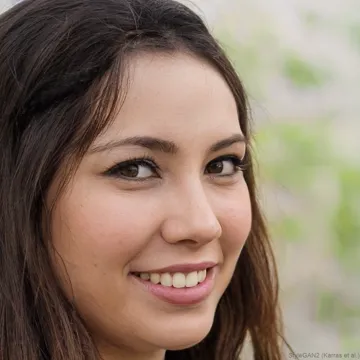
Photo 1 holds the gun; photo 2 turns and comes back in the memory. One clear, well-lit face per photo.
- 2
Say who turns and pick a length
Choose a person, your pet or the cartoon version, then ten or fifteen seconds for your zombie AI video.
- 3
Generate, download and post
Your AI zombie video comes back in one to three minutes. Download the MP4 and post it to TikTok, Reels or Shorts.

What Happens in Your Zombie AI Video
Every zombie AI video follows the four beats that made the trend travel, so it reads at a glance even with the sound off.
- 01
The turn
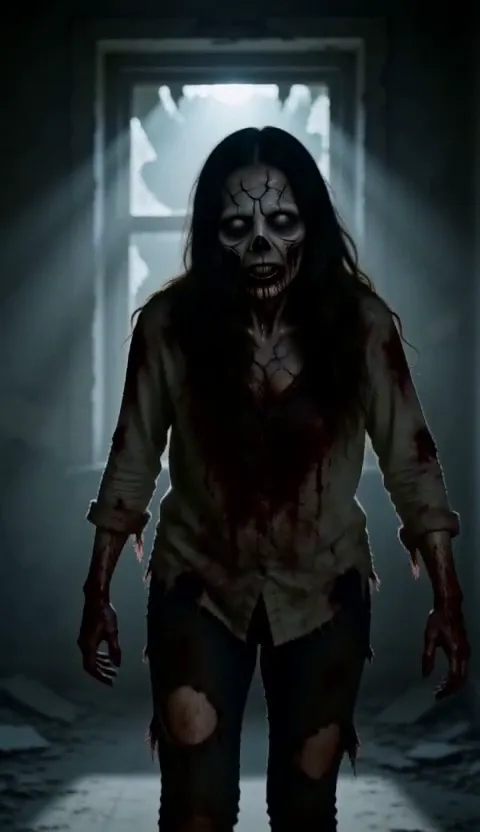
Photo 2 stands in a dark room with grey skin and clouded eyes, still unmistakably them.
- 02
The gun that never fires
Photo 1 raises a gun in a close-up full of tears. Nobody pulls the trigger.
- 03
The memory
A hard cut to sunlight: the two of you laughing in a field, on a beach or in the snow.
- 04
The gun lowered
The gun drops and arms open. A hug instead of a bite is the ending everyone shares.
Who Turns in Your AI Zombie Video?
The zombie AI trend works with anyone you would refuse to shoot.
Your partner
The classic anniversary zombie AI video, for couples who live together and long-distance couples alike.
Your dog
Choose "My pet" and your dog turns, then comes back healthy in the memory. The zombie dog versions make people cry.
Your cat
A cat crossing the rubble towards you is the quiet AI zombie video, and it lands just as hard.
Your best friend
Two friends, one infected, one who will not leave.
Mom or dad
A parent who turns and a child who remembers being carried on their shoulders.
A cartoon couple
The cartoon version draws you both as 3D animated characters, which softens the horror for family chats.
Why Use Zombie AI for Your AI Zombie Video
Faces stay recognisable
The zombie still looks like your partner, and your dog keeps its markings, in the dark scene and in the memory.
The whole story in one clip
No CapCut template to hunt for and no memory to splice in. The turn, the gun and the flashback come back as one zombie AI video.
No prompt writing
The zombie AI prompt is already written and tested. You only add photos.
Music and sound included
Each AI zombie video comes with a slow, emotional score, so it works as it is or under a trending sound.
Vertical for TikTok and Reels
Rendered at 9:16, the way the zombie trend is posted, so nothing gets cropped.
Pay per clip, refunds on failure
No subscription. If a render fails, the credits go straight back to your balance.
Zombie AI vs Zombie Filters and DIY Apps
Search for "AI zombie" and you will find three different things. Here is what each zombie AI option actually gives you.
| Zombie AI | Zombie filter apps | DIY with a video app | |
|---|---|---|---|
| Examples | zombieai.net | Snapchat lenses, Fotor, photo effects | Dreamina, Higgsfield or PixVerse plus CapCut |
| What you upload | Two photos | One photo | Two photos, a long prompt, extra scenes |
| What you get | A video: the turn, the gun, the memory | A still image or a short morph of one face | Separate clips you edit together |
| Looks like the trend | Yes, all four beats in one clip | No, there is no story | Yes, after several tries |
| Effort | One click, one to three minutes | One click, seconds | Prompting, retries and editing |
A filter is enough to see your own face zombified. For the zombie AI video all over TikTok and Reels, use Zombie AI.
Is Zombie AI Free?
Not entirely, and we would rather say so here than at checkout. An AI zombie video costs 400 credits for 10 seconds and 600 for 15. New accounts get 100 free credits, enough to look around but not for a full clip.
The smallest credit pack is 600 credits for $9.9, with no subscription. Failed renders are refunded, and downloads carry no watermark.
Make It With People Who Said Yes
- Only upload photos you have the right to use: yourself, a partner or friends who agreed, your own pets.
- Leave out children and anyone who has not agreed, including celebrities and other public figures.
- The story shows a gun and a zombie. Keep it for audiences and platforms where that is fine.
- Label the post as AI-generated wherever the platform asks you to.
Learn the Zombie AI Trend
Want the story behind the trend, the exact zombie AI prompts for other video generators, or tips for recognisable faces? The guide covers it.
Zombie AI FAQ
What is Zombie AI?
Zombie AI is an AI zombie video generator for the viral zombie love story: one person has turned, the other cannot shoot, then a happy memory of the two of them.
How do I make an AI zombie video of myself?
Upload your photo as photo 1 and the person who turns as photo 2, pick a length and press "Make my zombie video". The story is already written.
Is Zombie AI free?
Uploading is free; rendering costs 400 credits for 10 seconds or 600 for 15. Failed renders are refunded and there is no subscription.
What app is used for the zombie AI trend?
Tutorials use apps like Dreamina, Higgsfield or PixVerse plus CapCut. Zombie AI runs in the browser and makes the whole zombie AI video in one step.
Can my dog or cat be the zombie?
Yes. Choose "My pet" and use a clear, head-on photo of your pet as photo 2. It turns, then comes back healthy in the memory.
Why does my zombie not look like my partner?
Usually the photo. Use one person per photo, facing the camera and well lit; group shots and dark selfies give the AI too little to hold on to.
How long does a zombie AI video take?
Usually one to three minutes. The clip is saved to your History if you leave the page.
How can I turn my photo into a zombie?
For a still picture, any zombie filter works. For the trend video, where one of two people turns, use Zombie AI with two photos.
Ready to Make Your Zombie AI Video?
Two photos, one minute, one zombie AI video your friends will not scroll past.
Make my zombie video