
AI Video Effects
Add a photo, pick an effect, and the AI turns it into a short vertical video or a picture, with your face kept. No editing, no prompt, no app. Every effect on the site is in the maker below, and each one has its own page with examples.
See every effectPhoto 1 becomes the one holding the gun, photo 2 the one who turns and comes back in the flashback. Rendering usually takes one to three minutes.
All the AI video effects
12 effects so far, each made for one kind of photo. The card says what to add and what comes back; open it for examples, styles and prompts.
- Zombie AI Trend2 photos · 10–15s video · from 400 creditsTry it in the maker above
- Zombie Couple Maker2 photos · picture / 5–10s video · from 60 creditsTry it in the maker above
- Zombie Pet Maker1 photo · picture · from 60 creditsTry it in the maker above
- Zombie Filter1 photo · picture · from 40 creditsTry it in the maker above
- AI Hug Generator2 photos · picture / 5–10s video · from 60 creditsTry it in the maker above
- AI Kiss Generator2 photos · picture / 5–10s video · from 60 creditsTry it in the maker above
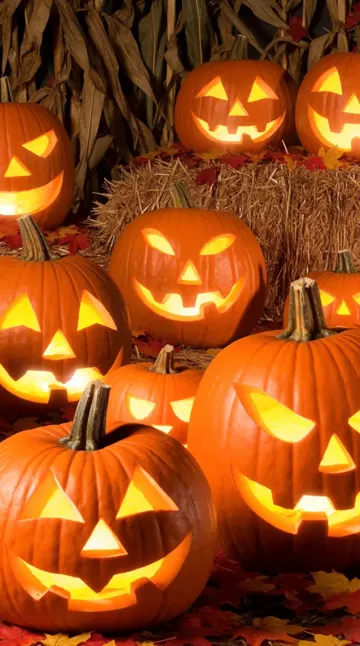 Fond d'écran HalloweenFonds d’écran Halloween gratuits, ou créez le vôtre.no photo · picture · from 60 creditsOpen the effect
- AI Bald Filter1 photo · picture / 5–10s video · from 40 creditsTry it in the maker above
- AI Halloween Costume1 photo · picture / 5–10s video · from 40 creditsTry it in the maker above
- AI Dance Video Generator1 photo · 5–10s video · from 200 creditsTry it in the maker above
- Animate old photo1 photo · 5–10s video · from 100 creditsTry it in the maker above
- Restore old photo1 photo · picture · from 60 creditsTry it in the maker above
What the effects make
Results from the effects on this page, made with their own prompts from photos of fictional people.
Zombie AI trend: the love story
Two portraits in. She has turned in an abandoned house, he cannot pull the trigger, then a sunset flashback. One 10-second vertical take with music.
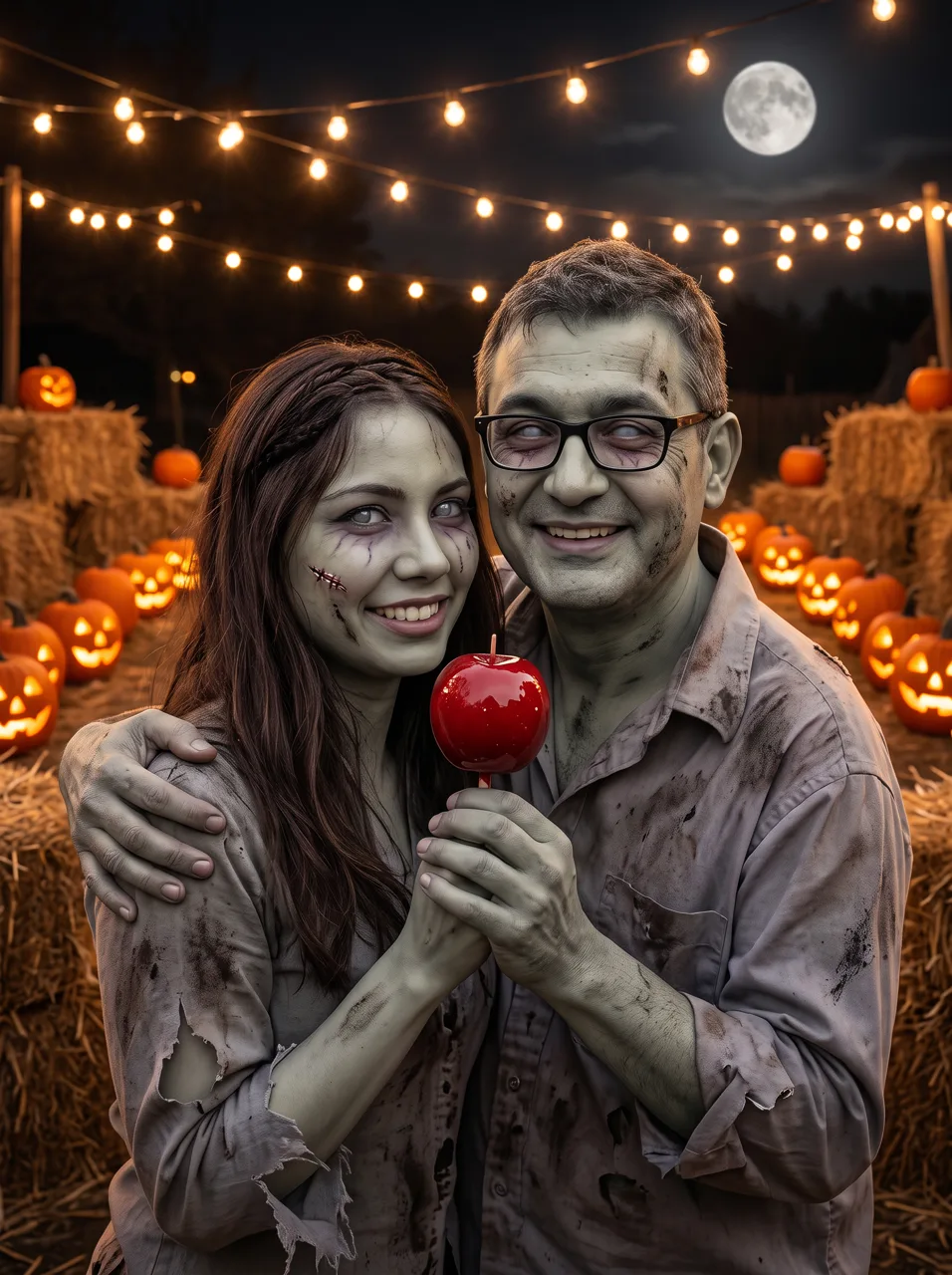
Zombie couple: Halloween date
The same two portraits as one picture of the pair as zombies on a Halloween night out.
AI dance: trend dance
One photo of a woman mid-twirl in a town square becomes a solo routine in a neon studio, with the same curls, hoops and yellow dress.
AI hug: zombie hug
Two portraits in. She turns into a zombie, shuffles in as if to bite, and hugs him instead while both laugh.
Two things people mean by “AI video effects”
Search for AI video effects and you get two different kinds of tool mixed together. Knowing which one you want saves a lot of trying.
Effects that turn a photo into a clip
You add a still photo, choose an effect, and the AI writes a new video around the people in it: a zombie transformation, a hug, a kiss, a dance, an old family photo that starts to move. The scene, the motion and the camera are fixed by the effect; you only bring the face. This is what this page does, and what most of the viral “AI trend” videos on TikTok are.
Effects added to a video you already filmed
Filters, colour grading, transitions, slow motion, background removal. Your footage stays the same and the effect is laid on top. That job belongs to a video editor such as CapCut, Canva or Premiere; the effects here start from photos and do not take a video in.
How to use an AI video effect
- 01
Pick the effect
Choose it in the maker above, or open its card for examples first. Each effect opens with its own styles or scenes.
- 02
Add your photo
One photo for the solo effects, one of each person for the two-person ones. Sign in to upload; new accounts get free credits.
- 03
Choose picture or video
Some effects make a picture, some a clip, some both. The length and the price are on the button before you press it.
- 04
Download and post
Pictures take seconds and clips about a minute or two. Both download with no watermark, vertical where the effect is made for TikTok and Reels.
Photos that work best
- A clear, front-facing face in even light. The effect keeps who you are from this photo, so a face in shadow or half turned away comes back less like you.
- Nothing over the eyes: no sunglasses, hands or hair across the face.
- One person per photo for the two-person effects. Crop a group photo down to the person you mean.
- For a pet, a close shot where the coat and markings are easy to see.
- A photo you are allowed to use. Only upload people who agreed, and never make an effect of someone to embarrass them.
What each effect takes and costs
Read from the same tables the maker bills from, so the price here is the price on the button.
| Effect | Photos | Makes | Credits |
|---|---|---|---|
| Zombie AI Trend | 2 photos | video | from 400 a video |
| Zombie Couple Maker | 2 photos | picture or video | 60 a picture, from 200 a video |
| Zombie Pet Maker | 1 photo | picture | 60 a picture |
| Zombie Filter | 1 photo | picture | 40 a picture |
| AI Hug Generator | 2 photos | picture or video | 60 a picture, from 200 a video |
| AI Kiss Generator | 2 photos | picture or video | 60 a picture, from 200 a video |
| Fond d'écran Halloween | no photo | picture | 60 a picture |
| AI Bald Filter | 1 photo | picture or video | 40 a picture, from 200 a video |
| AI Halloween Costume | 1 photo | picture or video | 40 a picture, from 200 a video |
| AI Dance Video Generator | 1 photo | video | from 200 a video |
| Animate old photo | 1 photo | video | from 100 a video |
| Restore old photo | 1 photo | picture | 60 a picture |
AI video effects: questions
How do I add an AI effect to a photo?
Pick the effect in the maker at the top of this page, upload a clear photo (or one of each person for two-person effects), choose a style and press the button. The result appears under the maker, ready to download.
Which AI video effects are there?
There are 12 right now: Zombie AI Trend, Zombie Couple Maker, Zombie Pet Maker, Zombie Filter, AI Hug Generator, AI Kiss Generator, Fond d'écran Halloween, AI Bald Filter, AI Halloween Costume, AI Dance Video Generator, Animate old photo, and Restore old photo. New effects are added to this page and the maker as soon as they go live.
Are the AI video effects free?
New accounts get 100 free credits. The cheapest effect costs 40 credits, so you can try it for free; video effects start at 100 credits. Every price is on the button before anything is charged.
Can I add these effects to a video I already have?
No. These effects start from photos and make a new clip. To add filters, transitions or colour grading to your own footage, use a video editor such as CapCut or Canva.
Does it work with one photo?
Yes, for the solo effects such as the AI dance, the bald filter, the zombie filter, the zombie pet maker and animating an old photo. The two-person effects, like the AI hug, the AI kiss, the zombie couple and the zombie AI trend, need one photo of each person.
Do I need an app or a prompt?
Neither. Everything runs in the browser on a phone or a computer, and each effect already has its prompt, model and camera set. You only add the photo.
Will the video still look like me?
Yes, if the photo is clear and the face is not covered. Your photo goes to the model as a reference, so the effect keeps your features under the make-up, costume or style.
Is there a watermark?
No. Pictures and clips download clean, and you can post them on TikTok, Reels or Shorts as long as everyone in the photos agreed.
Outils associés
D’autres pages qui ouvrent le même studio, préparé pour un autre type de vidéo.
Pick an effect and try it on your photo
One photo in, a clip or a picture out, with the price on the button.
Back to the maker