
Zombie Filter: Turn Your Photo Into a Zombie With AI
Upload a selfie, pick a style and the AI zombie filter turns you into a zombie in about half a minute: same face, same pose, freshly undead. It works online in your browser, with no app to install, and you can make the result into a zombie video afterwards.
New accounts get 100 free credits, enough for your first zombie photos. Failed images are refunded.
Zombie filter examples: before and after
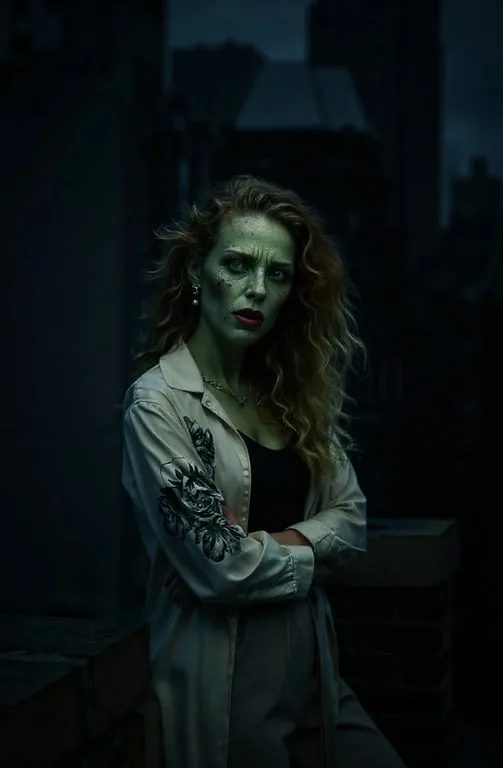
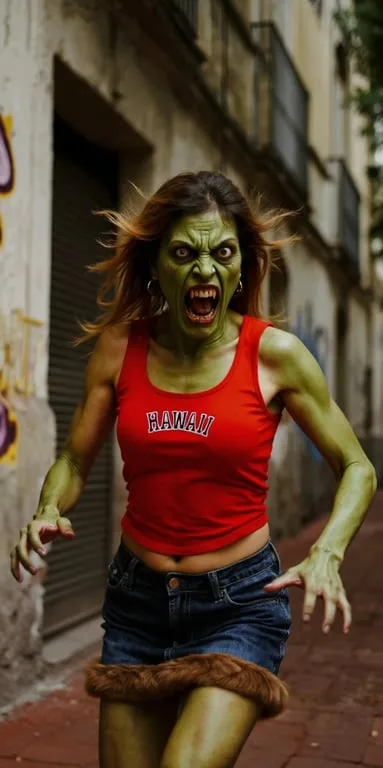
Real photos on the left, the zombie version on the right. The face, hair, outfit and pose stay; the skin, eyes and mood go undead.
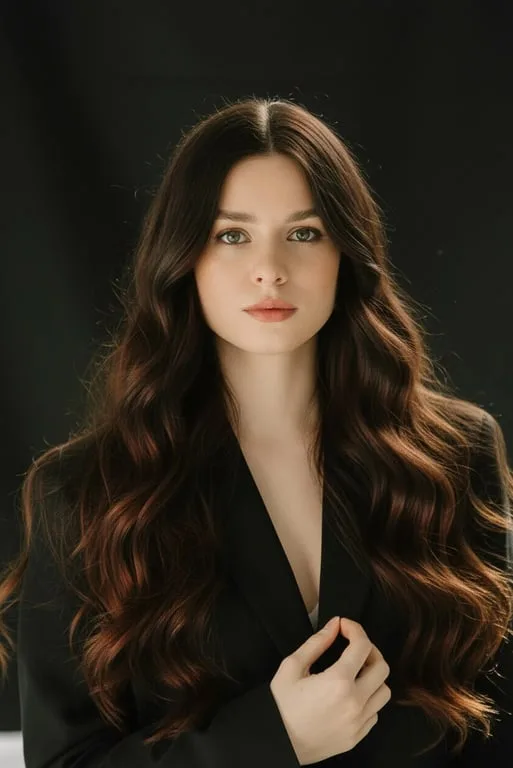 Before
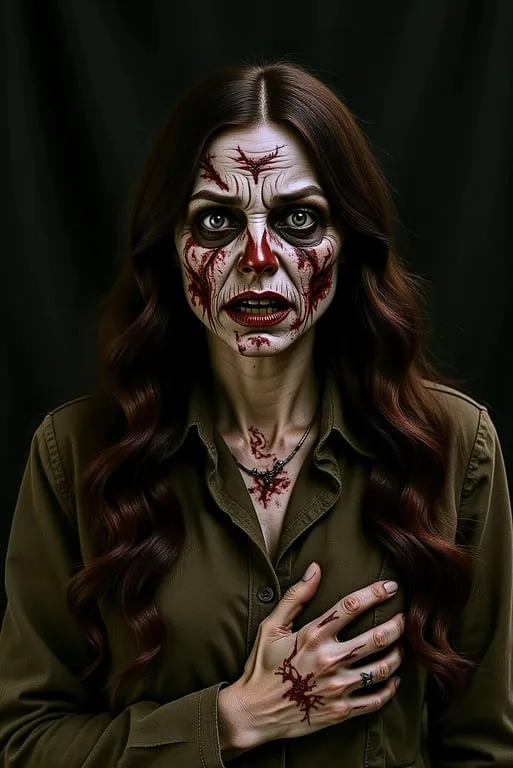 After
AfterStudio portrait turned into a classic rotting zombie 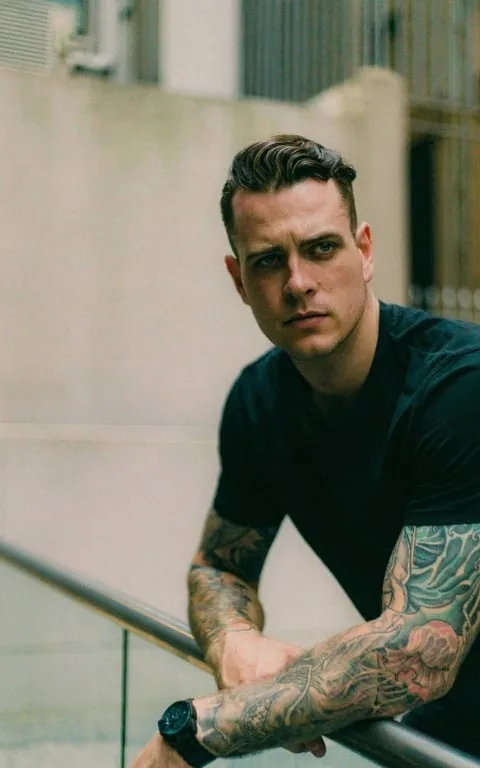 Before
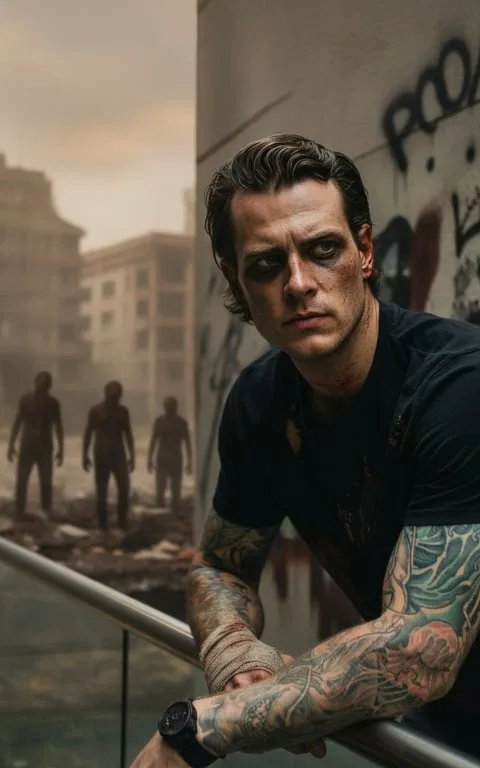 After
AfterRooftop portrait turned into a cinematic zombie with a ruined city behind 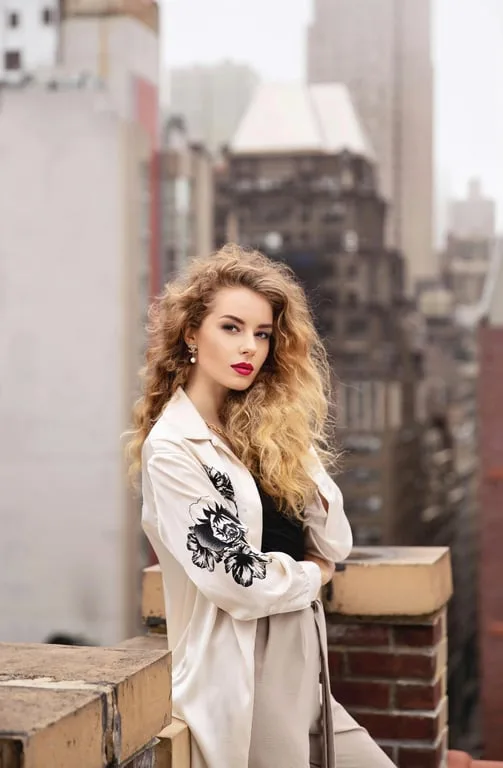 Before
 After
AfterBalcony photo turned into a moody green zombie 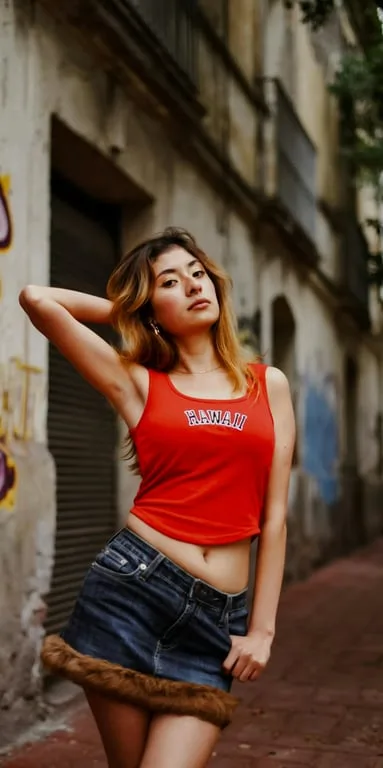 Before
 After
AfterStreet photo turned into a snarling comic-style zombie 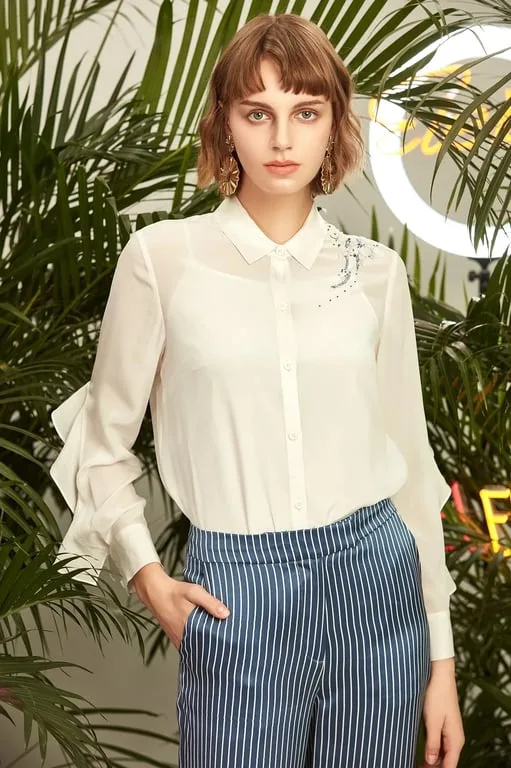 Before
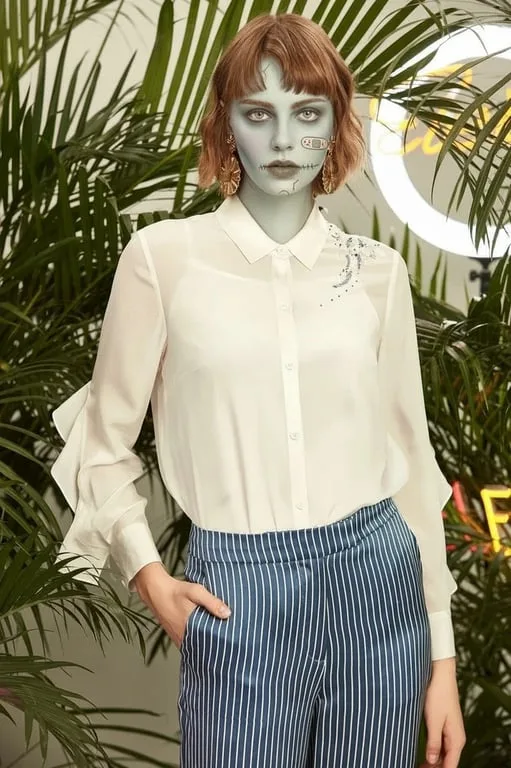 After
AfterFashion shoot with a subtle pale-skinned zombie look 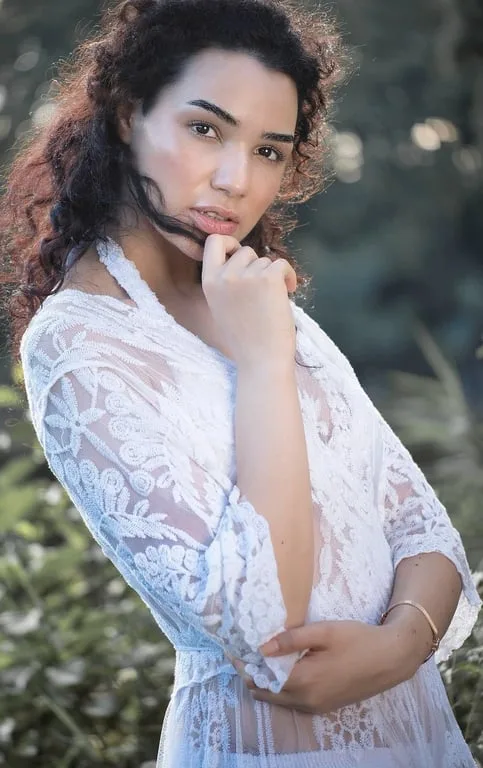 Before
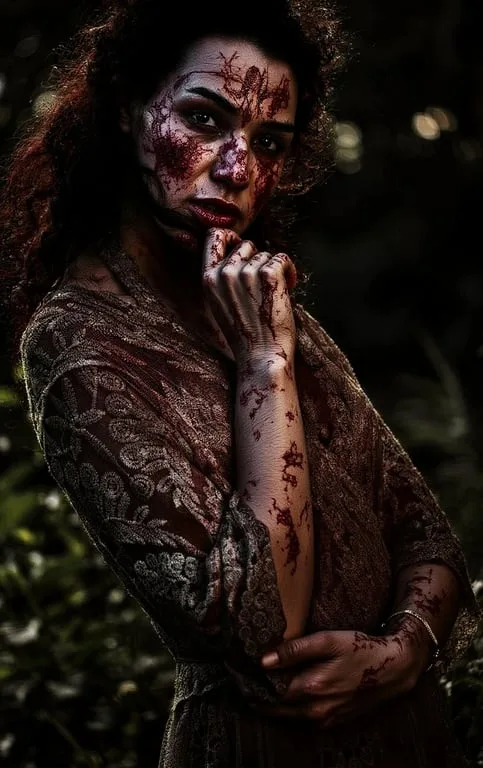 After
AfterGarden portrait turned into a blood-streaked horror zombie
Selfies, group photos and pets
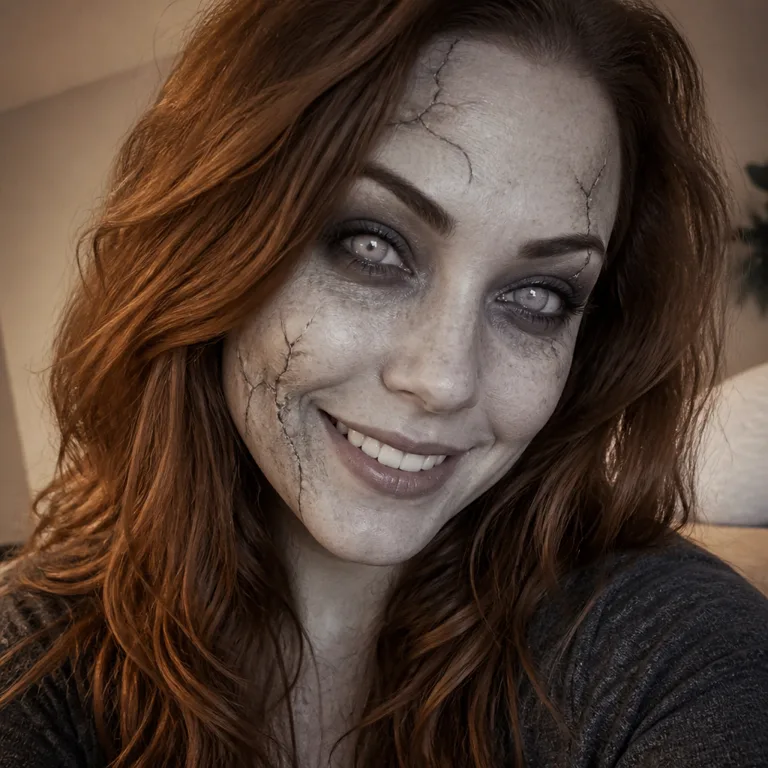
A selfie with a gentle zombie filter: grey skin, cracks and pale eyes 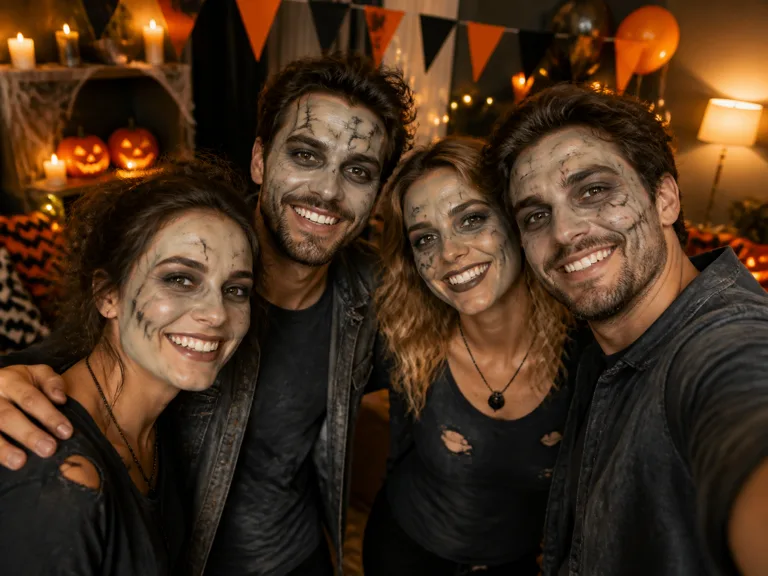
A Halloween party group photo with everyone zombified 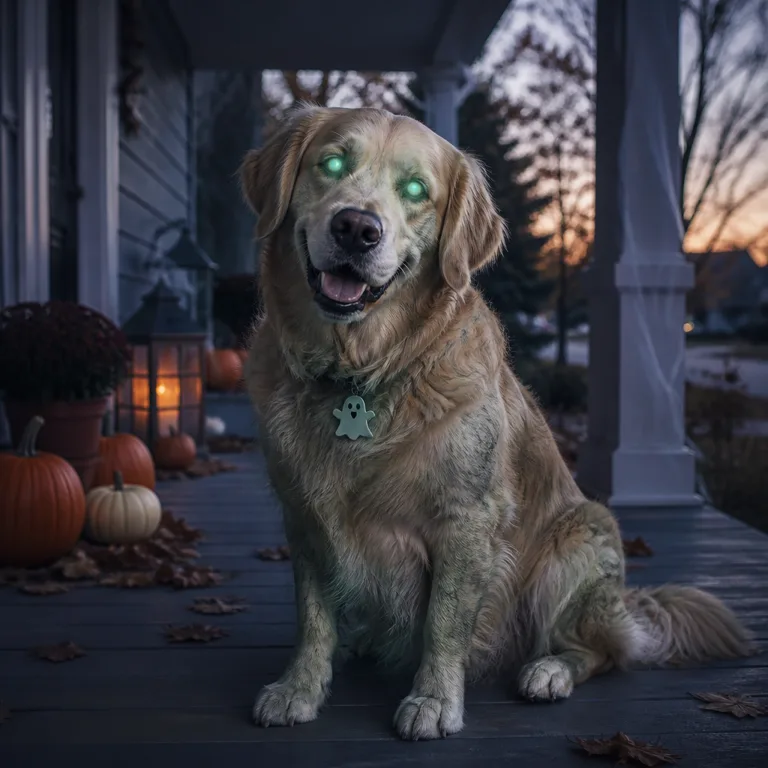
A golden retriever turned into a zombie dog with glowing eyes
Six zombie filter styles
Every style keeps your face shape, hair, clothes and background, so friends still know it is you. Only the zombie changes.
Classic rotting zombie
Grey-green skin, sunken eyes, cracked lips and a little dirt: the horror-movie makeup look, kept photorealistic.
Cinematic zombie
A still from a survival film: milky eyes, dusty torn clothes, a moody color grade and film grain.
Cute cartoon zombie
Mint-green skin, rosy cheeks and a stitched-on patch, drawn like an animated family movie. Fun rather than scary.
Chibi zombie
Big head, tiny body, pastel colors and a sticker outline. Made for profile pictures and group chats.
Comic book zombie
Bold ink lines, halftone dots and glowing eyes, like a page from a graphic novel.
Anime zombie
Cel-shaded, pale blue-green skin, red eyes and a dramatic sky, in Japanese animation style.
How to turn a photo into a zombie
- 1
Upload your picture
Pick a selfie or any photo where faces are clear. One person, a couple, a group or even your dog all work.
- 2
Choose a zombie style
Classic rotting, cinematic, cute cartoon, chibi, comic book or anime, and a shape for a post, a profile picture or a story.
- 3
Zombify and download
The AI zombie maker returns your zombie photo in about half a minute. Download it, or try another style on the same photo.
From zombie photo to zombie video
A photo filter stops at one frame. Zombie AI also makes the zombie video that went viral on TikTok and Reels: two photos in, a short clip out in which one of you has turned, the other cannot pull the trigger, and the story cuts to a happy memory.
Turn yourself into a zombie here first to see the look, then take the same photo to the video generator on the home page.
Zombie filter app vs AI zombie filter online
Snapchat, Instagram and TikTok all have zombie face filters, and they are great for a live selfie. An AI zombie filter does a different job.
| Snapchat / Instagram / TikTok lens | AI zombie filter | |
|---|---|---|
| Works on | Your live camera | Any photo you already have |
| How it works | Paints effects over your face in real time | Redraws the whole picture as a zombie |
| Look | Same few effects, often cartoonish masks | Six styles, from photoreal to chibi |
| Group photos and pets | Usually one face at a time | Everyone in the picture |
| App needed | Yes, plus an account | No, it runs in the browser |
| Video | A short lens recording | Make a full zombie story video |
For a quick live selfie, use the app you already have. For a zombie version of a photo you love, or a zombie video, use the AI zombie filter.
What people make with the zombie filter
A zombie pfp
Zombify your selfie into a Halloween profile picture in the square shape, and swap it back on November 1st.
A costume preview
See how zombie makeup would look on you before you buy the face paint.
Zombie couples and friends
Turn a couple photo or the whole group into zombies for a party invite.
The start of a zombie video
Use your zombie photo as the one who turns in the viral zombie AI clip.
Is the zombie filter free?
Each zombie photo costs 40 credits. New accounts get 100 free credits, so your first zombie photos are free with no card needed.
After that, the smallest credit pack is 600 credits for $9.9, with no subscription. If a photo fails, its credits come back automatically, and downloads carry no watermark.
Zombie filter FAQ
How do I turn myself into a zombie?
Upload a selfie above, choose a zombie style and press Zombify my photo. The AI zombie filter keeps your face, hair and pose and turns you into a zombie in about 20 to 60 seconds. Then download it or make it a zombie video.
Is the zombie filter free?
Your first ones are. Each zombie photo costs 40 credits and new accounts get 100 free credits, with no card needed. After that you buy a credit pack; there is no subscription.
Do I need to download a zombie filter app?
No. The zombie filter works online in any browser on iPhone, Android or a computer, so there is no zombify app to install. You only need an account so your photos and credits are kept.
Is the viral zombie AI video made with a zombie filter?
Not really. The zombie love story clip on TikTok and Reels is an AI video made from two photos, not a filter on one picture. Zombie AI makes that video on its home page: one of you turns, the other cannot shoot, then it cuts to a happy memory.
Is there a replacement for the Dead Yourself app?
The Walking Dead's Dead Yourself app and website, which turned a photo into a zombie, are long gone. An AI zombie filter like this one does the same job in the browser, with more styles and results that look like a real photo.
How is this different from a Snapchat or Instagram zombie filter?
Snapchat, Instagram and TikTok lenses paint a zombie mask over your live camera. The AI zombie filter redraws a photo you already have, in a choice of styles, works on groups and pets, and can go on to make a zombie video.
Can I turn a picture of someone else into a zombie?
Only if they agreed. Use photos of yourself, friends who said yes or your own pets, and leave out children and public figures.
Does the zombie filter work on group photos and pets?
Yes. The zombie face generator turns everyone in the picture into a zombie, and the zombie effect works on dogs and cats too. Clear, well-lit faces give the most recognisable result.
Can I make my zombie photo into a video?
Yes. Download your zombie photo and open the zombie video generator on our home page. It makes the viral zombie AI clip from two photos, with music, in 9:16 for TikTok, Reels and Shorts.
What happens to my photo?
It is stored in your account so you can reuse it, and you can delete it there at any time. It is only used to make the images and videos you ask for.
Ready to zombify your photo?
Upload a selfie, pick a style and see yourself as a zombie in under a minute.
Use the zombie filterHerramientas relacionadas
Otras páginas que abren el mismo estudio, preparado para otro tipo de video.